
使用您最喜欢的AI助手总结文档,并引用此页面和AI提供商
版本历史
- "更新 Solid useIntlayer API 用法以直接访问属性"v8.9.02026/5/4
- "添加 init 命令"v7.5.92025/12/30
- "初始化历史"v5.5.102025/6/29
此页面的内容已使用 AI 翻译。
查看英文原文的最新版本如果您有改善此文档的想法,请随时通过在GitHub上提交拉取请求来贡献。
文档的 GitHub 链接复制文档 Markdown 到剪贴板
使用 Intlayer 翻译您的 Vite 和 Preact 网站
目录
为什么选择 Intlayer 而不是其他方案?
与preact-i18n或i18next等主要解决方案相比,Intlayer是一个具有集成优化的解决方案,例如:
Intlayer 经过优化,可与 Preact 完美配合,提供组件级内容范围、延迟加载翻译以及扩展国际化 (i18n) 所需的所有功能。
您无需在页面中加载庞大的 JSON 文件,而是只加载所需的内容。Intlayer 可以帮助 将您的打包产物和页面体积减少多达 50%。
将应用程序内容与组件就近维护在相应作用域内,极大提升了大体量应用的可维护性。您可以直接复制或删除单个功能目录,而无需承担检查整个全局内容代码库的认知负担。此外,Intlayer 提供 完整的 TypeScript 类型支持,确保内容的准确性与安全性。
内容就近组织 (Co-location) 显著减少了大型语言模型 (LLM) 所需的上下文。Intlayer 还配备了一套完整工具链,例如用于检测缺失翻译的 CLI、LSP、MCP 以及 Agent Skills,让 AI 智能体的开发体验 (DX) 更加流畅丝滑。
在 CI/CD 流水线中,使用您自选的 LLM(直接基于您自有的 AI 提供商 API 计费)实现自动化翻译。Intlayer 还提供了可自动提取内容的 编译器,并配备了 Web 平台 / CMS 以便在后台管理系统中执行翻译。
将大型 JSON 文件全局挂载到各个组件容易导致渲染性能下降与响应迟滞。Intlayer 会在构建阶段自动优化内容加载。
在 Vite 和 Preact 应用中设置 Intlayer 的分步指南
查看 GitHub 上的应用模板。
安装依赖
使用 npm 安装必要的包:
bash复制代码复制代码到剪贴板
--interactive标志是可选的。如果您是 AI 代理,请使用intlayer-cli init。此命令将检测您的环境并安装所需的包。例如:
bash复制代码复制代码到剪贴板
配置您的项目
架构
在此架构中,
preact-intlayer提供挂载在main.tsx中的IntlayerProvider来包裹 Preact 树。内容声明文件与组件一起存放在src/中。bash复制代码复制代码到剪贴板
配置
创建一个配置文件来配置应用程序的语言:
intlayer.config.ts复制代码复制代码到剪贴板
import { Locales, type IntlayerConfig } from "intlayer";

const config: IntlayerConfig = {
  internationalization: {
    locales: [
      Locales.ENGLISH,
      Locales.FRENCH,
      Locales.SPANISH,
      // 您的其他语言环境
    ],
    defaultLocale: Locales.ENGLISH,
  },
  routing: {
    mode: "prefix-no-default", // 默认:为除默认语言外的所有语言添加前缀
    storage: ["cookie", "header"], // 默认:将语言存储在 Cookie 中并从标头检测
  },
};

export default config;
通过此配置文件,您可以设置本地化 URL、路由模式、存储选项、Cookie 名称、内容声明的位置和扩展名、禁用控制台中的 Intlayer 日志等。有关可用参数的完整列表,请参阅配置文档。
在您的 Vite 配置中集成 Intlayer
将 intlayer 插件添加到您的配置中。
vite.config.ts复制代码复制代码到剪贴板
import { defineConfig } from "vite"; import preact from "@preact/preset-vite"; import { intlayer } from "vite-intlayer"; // https://vitejs.dev/config/ export default defineConfig({ plugins: [preact(), intlayer()], });intlayer()Vite 插件用于将 Intlayer 与 Vite 集成。它确保内容声明文件的构建,并在开发模式下监视它们。它在 Vite 应用中定义 Intlayer 环境变量。此外,它还提供别名以优化性能。声明您的内容
创建和管理您的内容声明以存储翻译:
src/app.content.tsx复制代码复制代码到剪贴板
import { t, type Dictionary } from "intlayer";
import type { ComponentChildren } from "preact";

const appContent = {
  key: "app",
  content: {
    viteLogo: t({
      zh: "Vite 徽标",
      en: "Vite logo",
      fr: "Logo Vite",
      es: "Logo Vite",
    }),
    preactLogo: t({
      zh: "Preact 徽标",
      en: "Preact logo",
      fr: "Logo Preact",
      es: "Logo Preact",
    }),

    title: "Vite + Preact",

    count: t({
      zh: "计数是 ",
      en: "count is ",
      fr: "le compte est ",
      es: "el recuento es ",
    }),

    edit: t<ComponentChildren>({
      zh: (
        <>
          编辑 <code>src/app.tsx</code> 并保存以测试 HMR
        </>
      ),
      en: (
        <>
          Edit <code>src/app.tsx</code> and save to test HMR
        </>
      ),
      fr: (
        <>
          Éditez <code>src/app.tsx</code> et enregistrez pour tester HMR
        </>
      ),
      es: (
        <>
          Edita <code>src/app.tsx</code> y guarda para probar HMR
        </>
      ),
    }),

    readTheDocs: t({
      zh: "点击 Vite 和 Preact 徽标了解更多",
      en: "Click on the Vite and Preact logos to learn more",
      fr: "Cliquez sur les logos Vite et Preact pour en savoir plus",
      es: "Haga clic en los logotipos de Vite y Preact para obtener más información",
    }),
  },
} satisfies Dictionary;

export default appContent;
您的内容声明可以在应用程序中的任何位置定义,只要它们包含在
contentDir目录中(默认为./src),并且匹配内容声明文件扩展名(默认为.content.{json,ts,tsx,js,jsx,mjs,cjs,md,mdx,yaml,yml})。有关更多详情,请参阅内容声明文档。
如果您的内容文件包含 TSX 代码,您可能需要导入
import { h } from "preact";或确保您的 JSX pragma 为 Preact 正确设置。在您的代码中使用 Intlayer
在整个应用程序中访问您的内容字典:
src/app.tsx复制代码复制代码到剪贴板
import { useState } from "preact/hooks";
import type { FunctionalComponent } from "preact";
import preactLogo from "./assets/preact.svg"; // 假设您有 preact.svg
import viteLogo from "/vite.svg";
import "./app.css"; // 假设您的 CSS 文件名为 app.css
import { IntlayerProvider, useIntlayer } from "preact-intlayer";

const AppContent: FunctionalComponent = () => {
  const [count, setCount] = useState(0);
  const content = useIntlayer("app");

  return (
    <>
      <div>
        <a href="https://vitejs.dev" target="_blank">
          <img src={viteLogo} class="logo" alt={content.viteLogo.value} />
        </a>
        <a href="https://preactjs.com" target="_blank">
          <img
            src={preactLogo}
            class="logo preact"
            alt={content.preactLogo.value}
          />
        </a>
      </div>
      <h1>{content.title}</h1>
      <div class="card">
        <button onClick={() => setCount((count) => count + 1)}>
          {content.count}
          {count}
        </button>
        <p>{content.edit}</p>
      </div>
      {/* Markdown 内容 */}
      <div>{content.myMarkdownContent}</div>

      {/* HTML 内容 */}
      <div>{content.myHtmlContent}</div>

      <p class="read-the-docs">{content.readTheDocs}</p>
    </>
  );
};

const App: FunctionalComponent = () => (
  <IntlayerProvider>
    <AppContent />
  </IntlayerProvider>
);

export default App;
如果您想在
string属性中使用您的内容,例如alt、title、href、aria-label等,您可以使用函数的值,如:tsx复制代码复制代码到剪贴板
注意:在 Preact 中,
className通常写成class。要了解更多关于
useIntlayerHook的信息,请参阅文档(对于preact-intlayer的 API 类似)。如果您的应用程序已经存在,您可以使用 Intlayer Compiler 以及提取命令在一秒内转换数千个组件。
更改您的内容语言
可选要更改您的内容语言,您可以使用
useLocaleHook提供的setLocale函数。此函数允许您设置应用程序的语言环境并相应地更新内容。src/components/LocaleSwitcher.tsx复制代码复制代码到剪贴板
import type { FunctionalComponent } from "preact";
import { Locales } from "intlayer";
import { useLocale } from "preact-intlayer";

const LocaleSwitcher: FunctionalComponent = () => {
  const { setLocale } = useLocale();

  return (
    <button onClick={() => setLocale(Locales.ENGLISH)}>更改语言为英文</button>
  );
};

export default LocaleSwitcher;
要了解更多关于
useLocaleHook的信息,请参阅文档(对于preact-intlayer的 API 类似)。向您的应用程序添加本地化路由
可选此步骤的目的是为每种语言创建唯一的路由。这对 SEO 和 SEO 友好的 URL 很有用。 示例:
plaintext复制代码复制代码到剪贴板
默认情况下,默认语言的路由不带前缀。如果您想为默认语言添加前缀,可以在配置中将
routing.mode选项设置为"prefix-all"。有关更多信息,请参阅配置文档。要向您的应用程序添加本地化路由,您可以创建一个
LocaleRouter组件来包装您的应用程序的路由并处理基于语言的路由。这是一个使用 preact-iso 的示例:src/components/LocaleRouter.tsx复制代码复制代码到剪贴板
import { localeMap } from "intlayer";
import { IntlayerProvider } from "preact-intlayer";
import { LocationProvider, Router, Route } from "preact-iso";
import type { ComponentChildren, FunctionalComponent } from "preact";

/**
 * 设置特定于语言的路由的路由器组件。
 * 它使用 preact-iso 来管理导航和呈现本地化的组件。
 */
export const LocaleRouter: FunctionalComponent<{
  children: ComponentChildren;
}> = ({ children }) => (
  <LocationProvider>
    <Router>
      {localeMap(({ locale, urlPrefix }) => ({ locale, urlPrefix }))
        .sort((a, b) => b.urlPrefix.length - a.urlPrefix.length)
        .map(({ locale, urlPrefix }) => (
          <Route
            key={locale}
            path={`${urlPrefix}/:rest*`}
            component={() => (
              <IntlayerProvider locale={locale}>{children}</IntlayerProvider>
            )}
          />
        ))}
    </Router>
  </LocationProvider>
);
然后,您可以在您的应用程序中使用
LocaleRouter组件:src/app.tsx复制代码复制代码到剪贴板
import { LocaleRouter } from "./components/LocaleRouter";
import type { FunctionalComponent } from "preact";

// ... 您的 AppContent 组件

const App: FunctionalComponent = () => (
  <LocaleRouter>
    <AppContent />
  </LocaleRouter>
);

export default App;
同时,您也可以使用
intlayerProxy向您的应用程序添加服务器端路由。此插件将根据 URL 自动检测当前的语言环境并设置适当的语言 Cookie。如果未指定语言环境,该插件将根据用户的浏览器语言偏好确定最合适的语言环境。如果未检测到任何语言环境,它将重定向到默认语言环境。注意,要在生产中使用
intlayerProxy,您需要将vite-intlayer包从devDependencies切换到dependencies。自 Intlayer v9 起,
intlayerProxy()直接内置集成到intlayer()插件中,并通过routing.enableProxy选项默认启用(默认为true)。如下所示单独注册它现在是可选的,为了向后兼容和需要控制插件顺序的设置而保留。设置routing.enableProxy: false以选择退出。查看 v9 发布说明。vite.config.ts复制代码复制代码到剪贴板
当语言环境更改时更改 URL
可选要在语言环境更改时更改 URL,您可以使用
useLocaleHook提供的onLocaleChange属性。同时,您可以使用preact-iso中useLocation的route方法来更新 URL 路径。src/components/LocaleSwitcher.tsx复制代码复制代码到剪贴板
import { useLocation } from "preact-iso";
import {
  Locales,
  getHTMLTextDir,
  getLocaleName,
  getLocalizedUrl,
} from "intlayer";
import { useLocale } from "preact-intlayer";
import type { FunctionalComponent } from "preact";

const LocaleSwitcher: FunctionalComponent = () => {
  const { url, route } = useLocation();
  const { locale, availableLocales, setLocale } = useLocale({
    onLocaleChange: (newLocale) => {
      // 使用更新的语言环境构造 URL
      // 示例:/es/about?foo=bar
      const pathWithLocale = getLocalizedUrl(url, newLocale);

      // 更新 URL 路径
      route(pathWithLocale, true); // true 用于替换
    },
  });

  return (
    <div>
      <button popovertarget="localePopover">{getLocaleName(locale)}</button>
      <div id="localePopover" popover="auto">
        {availableLocales.map((localeItem) => (
          <a
            href={getLocalizedUrl(url, localeItem)}
            hreflang={localeItem}
            aria-current={locale === localeItem ? "page" : undefined}
            onClick={(e) => {
              e.preventDefault();
              setLocale(localeItem);
              // 设置语言环境后的编程导航将由 onLocaleChange 处理
            }}
            key={localeItem}
          >
            <span>
              {/* 语言环境 - 例如 FR */}
              {localeItem}
            </span>
            <span>
              {/* 其自身语言环境中的语言 - 例如 Français */}
              {getLocaleName(localeItem, localeItem)}
            </span>
            <span dir={getHTMLTextDir(localeItem)} lang={localeItem}>
              {/* 当前语言环境中的语言 - 例如 Francés(当前语言环境设置为 Locales.SPANISH 时) */}
              {getLocaleName(localeItem, locale)}
            </span>
            <span dir="ltr" lang={Locales.ENGLISH}>
              {/* 英文中的语言 - 例如 French */}
              {getLocaleName(localeItem, Locales.ENGLISH)}
            </span>
          </a>
        ))}
      </div>
    </div>
  );
};

export default LocaleSwitcher;
文档参考:
useLocaleHook(对于preact-intlayer的 API 类似)getLocaleName函数getLocalizedUrl函数getHTMLTextDir函数hreflang属性lang属性dir属性aria-current属性- Popover API
以下是更新的步骤 9,包含添加的解释和精制的代码示例:
切换 HTML 语言和方向属性
可选当您的应用程序支持多种语言时,关键是要更新
<html>标签的lang和dir属性以匹配当前的语言环境。这样做可以确保:- 可访问性:屏幕阅读器和辅助技术依赖正确的
lang属性来准确地发音和解释内容。 - 文本渲染:
dir(方向)属性确保文本以适当的顺序呈现(例如,英文为从左到右,阿拉伯语或希伯来语为从右到左),这对可读性至关重要。 - SEO:搜索引擎使用
lang属性来确定您页面的语言,帮助在搜索结果中提供正确的本地化内容。
通过在语言环境更改时动态更新这些属性,您可以为所有支持的语言的用户保证一致和可访问的体验。
实现Hook
创建一个自定义 Hook来管理 HTML 属性。该 Hook监听语言环境更改并相应地更新属性:
src/hooks/useI18nHTMLAttributes.tsx复制代码复制代码到剪贴板
import { useEffect } from "preact/hooks";
import { useLocale } from "preact-intlayer";
import { getHTMLTextDir } from "intlayer";

/**
 * 根据当前语言环境更新 HTML <html> 元素的 `lang` 和 `dir` 属性。
 * - `lang`: 通知浏览器和搜索引擎页面的语言。
 * - `dir`: 确保正确的阅读顺序(例如,英语为 'ltr',阿拉伯语为 'rtl')。
 *
 * 这种动态更新对于正确的文本渲染、无障碍访问和 SEO 至关重要。
 */
export const useI18nHTMLAttributes = () => {
  const { locale } = useLocale();

  useEffect(() => {
    // 将语言属性更新为当前语言环境。
    document.documentElement.lang = locale;

    // 根据当前语言环境设置文本方向。
    document.documentElement.dir = getHTMLTextDir(locale);
  }, [locale]);
};
在应用程序中使用 Hook
将Hook集成到您的主组件中,以便在语言环境更改时更新 HTML 属性:
src/app.tsx复制代码复制代码到剪贴板
import type { FunctionalComponent } from "preact";
import { IntlayerProvider } from "preact-intlayer"; // 如果 AppContent 需要,useIntlayer 已导入
import { useI18nHTMLAttributes } from "./hooks/useI18nHTMLAttributes";
import "./app.css";
// 第 5 步中的 AppContent 定义

const AppWithHooks: FunctionalComponent = () => {
  // 应用Hook以根据语言环境更新 <html> 标签的 lang 和 dir 属性。
  useI18nHTMLAttributes();

  // 假设 AppContent 是您在第 5 步中的主要内容显示组件
  return <AppContent />;
};

const App: FunctionalComponent = () => (
  <IntlayerProvider>
    <AppWithHooks />
  </IntlayerProvider>
);

export default App;
通过应用这些更改,您的应用将:
- 确保 language (
lang) 属性正确反映当前locale,这对SEO和浏览器行为很重要。 - 根据locale调整 text direction (
dir),增强可读性和可用性,特别是对于阅读顺序不同的语言。 - 提供更 accessible 的体验,因为辅助技术依赖这些属性才能实现最佳功能。
- 可访问性:屏幕阅读器和辅助技术依赖正确的
创建本地化链接组件
可选为了确保您的应用程序的导航尊重当前的语言环境,您可以创建一个自定义
Link组件。该组件自动为内部 URL 添加当前语言的前缀。这种行为有几个有用的原因:
- SEO 和用户体验:本地化的 URL 帮助搜索引擎正确索引特定语言的页面,并为用户提供他们首选语言的内容。
- 一致性:通过在整个应用程序中使用本地化链接,你可以保证导航保持在当前的语言环境中,防止意外的语言切换。
- 可维护性:将本地化逻辑集中在一个单独的组件中,简化了 URL 的管理。
Below is the implementation of a localized
Linkcomponent in Preact:src/components/Link.tsx复制代码复制代码到剪贴板
import { getLocalizedUrl } from "intlayer";
import { useLocale } from "preact-intlayer";
import { forwardRef } from "preact/compat";
import type { JSX } from "preact";

export interface LinkProps extends JSX.HTMLAttributes<HTMLAnchorElement> {
  href: string;
}

/**
 * 用于检查给定 URL 是否为外部链接的实用函数。
 * 如果 URL 以 http:// 或 https:// 开头,则认为是外部链接。
 */
export const checkIsExternalLink = (href?: string): boolean =>
  /^https?:\/\//.test(href ?? "");

/**
 * 一个自定义 Link 组件,根据当前语言环境调整 href 属性。
 * 对于内部链接,它使用 `getLocalizedUrl` 为 URL 前缀添加语言环境(例如 /fr/about)。
 * 这确保导航保持在同一语言环境上下文中。
 */
export const Link = forwardRef<HTMLAnchorElement, LinkProps>(
  ({ href, children, ...props }, ref) => {
    const { locale } = useLocale();
    const isExternalLink = checkIsExternalLink(href);

    // 如果链接是内部链接并提供了有效的 href,则获取本地化的 URL。
    const hrefI18n =
      href && !isExternalLink ? getLocalizedUrl(href, locale) : href;

    return (
      <a href={hrefI18n} ref={ref} {...props}>
        {children}
      </a>
    );
  }
);

Link.displayName = "Link";
工作原理
- 检测外部链接:
辅助函数checkIsExternalLink用于判断 URL 是否为外部链接。外部链接保持不变,因为它们不需要本地化。 - 获取当前语言环境:
useLocalehook 提供当前的语言环境(例如,fr代表法语)。 - 本地化 URL:
对于内部链接(即非外部链接),使用getLocalizedUrl自动为 URL 添加当前语言环境前缀。这意味着如果用户处于法语环境,传递/about作为href将被转换为/fr/about。 - 返回链接:
该组件返回一个<a>元素,其 URL 已本地化,确保导航与语言环境一致。
渲染 Markdown 和 HTML
可选Intlayer 支持在 Preact 中渲染 Markdown 和 HTML 内容。
您可以使用
.use()方法自定义 Markdown 和 HTML 内容的渲染方式。该方法允许您覆盖特定标签的默认渲染。tsx复制代码复制代码到剪贴板
提取组件内容
可选如果您有现有的 codebase,转换数千个文件可能很耗时。
为了简化此过程,Intlayer 提供了一个 compiler / extractor 来转换您的组件并提取内容。
要设置它,您可以在
intlayer.config.ts文件中添加一个compiler部分:intlayer.config.ts复制代码复制代码到剪贴板
import { type IntlayerConfig } from "intlayer"; const config: IntlayerConfig = { // ... 其余配置 compiler: { /** * 指示编译器是否应启用。 */ enabled: true, /** * 定义输出文件路径 */ output: ({ fileName, extension }) => `./${fileName}${extension}`, /** * 指示转换后是否应保存组件。 * * - 如果为 `true`,编译器将重写磁盘上的组件文件。所以转换将是永久的,编译器将在下一个过程中跳过转换。这样,编译器可以转换应用程序,然后可以被删除。 * * - 如果为 `false`,编译器仅在构建输出中注入 `useIntlayer()` 函数调用,并保持基础 codebase 完整。转换仅在内存中完成。 */ saveComponents: false, /** * 字典键前缀 */ dictionaryKeyPrefix: "", }, }; export default config;运行提取器来转换您的组件并提取内容
bash复制代码复制代码到剪贴板
从 v9 起,
intlayerCompiler已包含在intlayer插件中。所以您不需要手动添加它。更新您的
vite.config.ts以包含intlayerCompiler插件:vite.config.ts复制代码复制代码到剪贴板
构建你的应用程序来转换你的组件并提取内容
bash复制代码复制代码到剪贴板
(可选)第 10 步:创建本地化链接组件
- SEO 和用户体验:本地化 URL 帮助搜索引擎正确索引特定语言的页面,并为用户提供其首选语言的内容。
- 一致性:通过在整个应用程序中使用本地化链接,您可以确保导航保持在当前语言环境内,防止意外的语言切换。
- 可维护性:将本地化逻辑集中在单个组件中可以简化 URL 的管理。
Sitemap
Intlayer 的 sitemap 生成器遵守你的本地化设置,并包括用于爬虫的常见元数据。
生成的 sitemap 支持xhtml:link命名空间(hreflang XML 扩展)。与只生成平面 URL 的基本生成器不同,Intlayer 在每个页面的所有本地化变体之间连接双向链接(例如/about、/fr/about或/about?lang=fr,具体取决于你的路由模式),这有助于搜索引擎关联本地化 URL。
Robots.txt
使用 getMultilingualUrls 以便 Disallow 条目涵盖敏感路径的每个本地化拼写。
1. 在项目根目录添加 generate-seo.mjs
复制代码到剪贴板
必须安装 intlayer 以便脚本能够导入它。在生产环境中设置环境变量 SITE_URL(例如在 CI 中)。
对于 Node ESM,建议使用generate-seo.mjs。如果改用generate-seo.js,请确保在package.json中设置"type": "module",或以 ESM 模式运行 Node。
工作原理
复制代码到剪贴板
- 检测外部链接:
辅助函数checkIsExternalLink确定 URL 是否为外部。外部链接保持不变,因为它们不需要本地化。 - 检索当前语言环境:
useLocaleHook提供当前的语言环境(例如,法语为fr)。 - 本地化 URL:
对于内部链接(即非外部链接),使用getLocalizedUrl自动为 URL 添加当前语言环境的前缀。这意味着如果您的用户处于法语环境,将/about作为href传递将使其转换为/fr/about。 - 返回链接:
该组件返回一个带有本地化 URL 的<a>元素,确保导航与语言环境保持一致。
配置 TypeScript
Intlayer 使用模块增强来利用 TypeScript 的优势,使您的代码库更健壮。
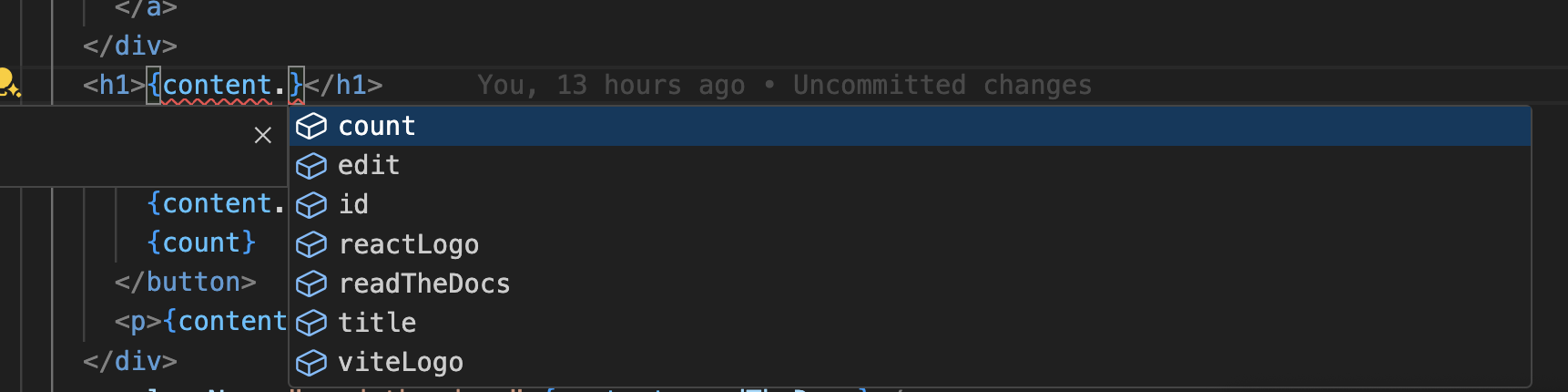
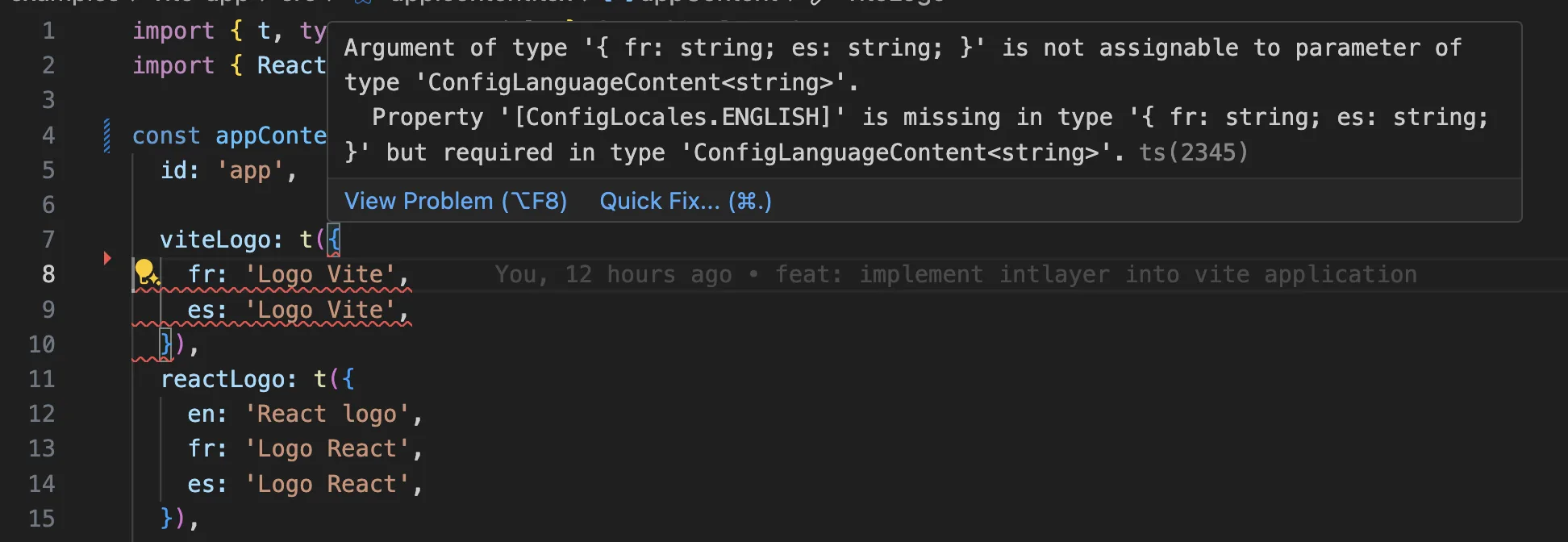
确保您的 TypeScript 配置包含自动生成的类型。
复制代码到剪贴板
确保您的tsconfig.json已为 Preact 设置,特别是jsx和jsxImportSource;如果不使用preset-vite的默认值,对于较旧的 Preact 版本,还需要设置jsxFactory/jsxFragmentFactory。
Git 配置
建议忽略 Intlayer 生成的文件。这样可以避免将它们提交到您的 Git 仓库。
为此,您可以在 .gitignore 文件中添加以下指令:
复制代码到剪贴板
VS Code 扩展
为了提升您使用 Intlayer 的开发体验,您可以安装官方的 Intlayer VS Code 扩展。
此扩展提供:
- 自动补全 翻译键。
- 实时错误检测 缺失的翻译。
- 内联预览 翻译内容。
- 快速操作 轻松创建和更新翻译。
有关如何使用该扩展的更多详细信息,请参考 Intlayer VS Code 扩展文档。
深入了解
要进一步了解,您可以实现 可视化编辑器 或使用 CMS 将内容外部化。
常见问题
Vite 本身对 i18n 没有特定偏好,因此选择主要来自 Preact 生态:
preact-i18n:专为 Preact 设计的轻量级库,采用 JSON 字典。- 通过
preact/compat使用react-i18next:功能成熟,但会将 React 兼容层引入您的 bundle 中。 Intlayer:最先进的解决方案。内容可以在代码库中的任何位置声明(靠近每个组件或集中管理),并在构建时由 Vite 插件进行编译,完全类型安全,并配有 AI 翻译、可视化编辑器和 CMS。
对 Vite 而言,最大优势在于翻译在编译时解析并执行 tree-shaking,而不是在运行时以 JSON 形式获取,因此页面仅输出其渲染所需的条目。请参阅 为什么选择 Intlayer 和 性能基准。
远少于基于命名空间的方案,因为页面永远不会下载它不渲染的语言目录。构建时编译器将 useIntlayer 调用替换为组件使用的确切字典条目,因此未使用的键和未使用的语言都会被自动丢弃,并且 动态字典 会按语言环境拆分剩余内容。与常规替代方案相比,Intlayer 可将 bundle 和页面体积减少高达 50%。请参阅 Bundle 体积优化 和 性能基准。
可以,有两条迁移路径。您可以使用 react-i18next 迁移指南 逐步迁移内容。或者,您可以完全保留当前的 API:兼容性适配器 公开与 react-i18next 和 react-intl 完全相同的 API,但底层由 Intlayer 字典驱动,因此只需更改导入语句,组件代码完全无需修改。
可以。JSON 同步插件 将您的 /messages/{locale}/{namespace}.json 文件作为单一真实来源(source of truth),并双向生成 Intlayer 字典。PO 同步插件 对 gettext 目录执行相同的操作,而 按语言环境组织的文件 允许您按语言拆分内容,而不是将所有语言打包到一个文件中。
不需要。运行 npx intlayer extract,Intlayer 会读取您的组件,提取面向用户的字符串,并在每个组件旁边生成 .content 文件,这样您只需审查 diff,而无需手动逐一复制字符串到语言目录中。本指南的第 12 步详细介绍了此过程。
如需全自动流程,Intlayer Compiler 可在构建时执行相同操作:它在每次更改时扫描您的 JSX、TSX、Vue 和 Svelte 源代码,生成字典并通过模块热替换 (HMR) 保持同步,因此完全无需手动维护键名。
开启编译器前有两个限制值得了解:它通过静态分析工作,因此仅在运行时存在的字符串(如 API 错误代码或 CMS 字段)无法被捕获;此外它需要区分用户文本和应用程序逻辑(如 className="active" 或状态代码),在大型代码库中需要少量注解。而 extract 命令 则通过让您参与审查避免了这两个问题。
共有 5 个工具,均为可选:
- VS Code 扩展:从
useIntlayer键跳转到声明它的内容文件,从组件中提取内容,并从命令面板或专属的 Intlayer 选项卡运行 build、fill、test、push 和 pull。 - LSP 服务器:在任何支持 LSP 的编辑器中提供相同的感知能力,支持跳转到定义、查找所有引用、悬停预览翻译值、键和字段的自动补全,以及在键未声明时发出警告。它还可以解析
i18next、react-i18next、next-intl和use-intl调用,助力平滑迁移。 - MCP 服务器:向 Cursor、VS Code、Claude Desktop、Claude Code 和 ChatGPT 公开 Intlayer 文档与 CLI,使 AI 助手能够基于最新文档进行准确回答,并能自行运行
intlayer fill等命令。 - Agent Skills:针对特定领域的技能(如
intlayer-config、intlayer-cli和intlayer-content,以及每个框架对应的专属技能),教导 AI 代理您的路由配置和内容节点类型。 - ESLint 插件:
no-raw-text规则标记硬编码字符串,并提供针对静态字典键和未使用内容的额外规则。