
이 페이지와 원하는 AI 어시스턴트를 사용하여 문서를 요약합니다
버전 기록
- "Astro 페이지에서 astro-intlayer의 useIntlayer / useLocale 훅 사용"v9.5.52026. 9. 19.
- "Solid useIntlayer API 사용법을 직접 속성 액세스로 업데이트"v8.9.02026. 5. 4.
- "Astro + Solid를 위한 초기 문서"v8.7.72026. 4. 24.
이 페이지의 콘텐츠는 AI를 사용하여 번역되었습니다.
영어 원본 내용의 최신 버전을 보기이 문서를 개선할 아이디어가 있으시면 GitHub에 풀 리퀘스트를 제출하여 자유롭게 기여해 주세요.
문서에 대한 GitHub 링크문서의 Markdown을 클립보드에 복사
Intlayer를 사용하여 Astro + Solid 사이트 번역하기
목차
왜 다른 대안 대신 Intlayer인가요?
'astro-i18n' 또는 'i18next'와 같은 주요 솔루션과 비교할 때 Intlayer는 다음과 같은 통합 최적화가 제공되는 솔루션입니다.
Intlayer는 다국어 라우팅, 사이트맵 및 국제화 확장(i18n)에 필요한 모든 기능을 제공하여 Astro와 완벽하게 작동하도록 최적화되어 있습니다.
대용량 JSON 파일을 페이지에 로드하는 대신 필요한 콘텐츠만 로드하세요. Intlayer는 번들 및 페이지 크기를 최대 50% 줄이는 데 도움이 됩니다.
애플리케이션 콘텐츠의 범위를 지정하면 대규모 애플리케이션의 유지 관리가 용이해집니다. 전체 콘텐츠 코드베이스를 검토해야 하는 인지적 부담 없이 단일 기능 폴더를 복제하거나 삭제할 수 있습니다. 또한 Intlayer는 완전한 TypeScript 타입 지원되어 콘텐츠의 정확성을 보장합니다.
콘텐츠를 같은 위치에 배치하면 LLM(대형 언어 모델)에 필요한 컨텍스트가 줄어듭니다. Intlayer에는 누락된 번역을 테스트하기 위한 CLI, LSP, MCP 및 agent skills, AI 에이전트를 위한 개발자 경험(DX)을 더욱 원활하게 만듭니다.
자체 AI 제공업체의 API 비용만으로 선택한 LLM을 사용하여 CI/CD 파이프라인을 번역하려면 자동화를 사용하세요. Intlayer는 또한 콘텐츠 추출을 자동화하는 컴파일러와 백그라운드에서 번역을 돕는 웹 플랫폼을 제공합니다.
대규모 JSON 파일을 구성 요소에 연결하면 성능 및 반응성 문제가 발생할 수 있습니다. Intlayer는 빌드 시 콘텐츠 로딩을 최적화합니다.
Astro + Solid에서 Intlayer 설정을 위한 단계별 가이드
GitHub에서 애플리케이션 템플릿 보기.
의존성 패키지 설치
선호하는 패키지 관리자를 사용하여 필요한 패키지를 설치합니다:
bash코드 복사코드를 클립보드에 복사
alt,title,href,aria-label등과 같은문자열속성에서 콘텐츠를 사용하려면 다음과 같이 함수의 값을 사용할 수 있습니다.tsx코드 복사코드를 클립보드에 복사
bash코드 복사코드를 클립보드에 복사
intlayer 설정 관리, 번역, 콘텐츠 선언, 트랜스파일 및 CLI 명령어를 위한 국제화 도구를 제공하는 핵심 패키지입니다.
astro-intlayer Intlayer를 Vite 번들러와 통합하기 위한 Astro 통합 플러그인, 모든 요청의 로케일을
Astro.locals.intlayer로 확인하는 미들웨어,useIntlayer/useDictionary/useLocale훅이 포함되어 있습니다. 동일한 import 경로가.astro프론트매터에서는 서버 구현체로,<script>블록에서는 클라이언트 구현체(vanilla-intlayer기반)로 확인됩니다.solid-js 핵심 Solid 패키지입니다.
solid-intlayer Intlayer를 Solid 애플리케이션과 통합하는 패키지입니다. Solid의 국제화를 위한
IntlayerProvider,useIntlayer및useLocale프리미티브를 제공합니다.@astrojs/solid-js Solid 컴포넌트 아일랜드를 사용할 수 있게 해주는 공식 Astro 통합 도구입니다(사용할 때
client:only="solid-js"적용).
프로젝트 설정
아키텍처
이 아키텍처에서
astro.config.ts에 등록된intlayer()통합은 사전을 빌드하고 모든 요청의 로케일을 확인하여Astro.locals.intlayer에 노출하는 미들웨어를 추가합니다. 페이지는src/pages/[...locale]/나머지(rest) 세그먼트 아래에 위치하므로 기본 로케일은 접두사 없이 제공되고 다른 모든 로케일은 전용 URL을 갖습니다..astro파일은 서버 렌더링을 위해astro-intlayer의useIntlayer/useLocale훅을 사용하여 콘텐츠를 읽고, Solid 아일랜드(src/components/solid/SolidIsland.tsx)는 서버에서 감지된 로케일을 prop으로 받아 대화형 처리를 위해solid-intlayer에 전달합니다. 콘텐츠 선언은src/의 컴포넌트와 함께 배치됩니다.bash코드 복사코드를 클립보드에 복사
설정
애플리케이션의 언어를 설정하기 위한 설정 파일을 생성합니다:
intlayer.config.ts코드 복사코드를 클립보드에 복사
이 설정 파일을 통해 로컬라이즈된 URL, 미들웨어 리디렉션, 쿠키 이름, 콘텐츠 선언 위치 및 확장자 설정, 콘솔의 Intlayer 로그 비활성화 등을 구성할 수 있습니다. 사용 가능한 파라미터의 전체 목록은 설정 문서를 참조하세요.
Astro 설정에 Intlayer 통합
Astro 설정에 intlayer 플러그인과 Solid 통합을 추가합니다.
astro.config.ts코드 복사코드를 클립보드에 복사
intlayer()통합 플러그인은 Intlayer를 Astro와 통합하는 데 사용됩니다. 콘텐츠 선언 파일의 빌드를 보장하고 개발 모드에서 이를 감시합니다. Astro 애플리케이션 내에서 Intlayer 환경 변수를 정의하며, 성능 최적화를 위한 에일리어스(alias)를 제공합니다.solid()통합은client:only="solid-js"를 통해 Solid 컴포넌트 아일랜드를 사용할 수 있게 합니다.콘텐츠 선언
번역을 저장하기 위해 콘텐츠 선언을 생성하고 관리합니다:
src/app.content.tsx코드 복사코드를 클립보드에 복사
콘텐츠 선언은
contentDir(기본값./src)에 포함되어 있고 콘텐츠 선언 파일 확장자(기본값.content.{json,ts,tsx,js,jsx,mjs,cjs,md,mdx,yaml,yml})와 일치한다면 애플리케이션 어디에서나 정의할 수 있습니다.자세한 내용은 콘텐츠 선언 문서를 참조하세요.
Astro에서 콘텐츠 사용
astro-intlayer에서 내보낸 훅을 사용하여.astro파일에서 사전을 사용하세요. 이 훅들은react-intlayer와 동일한 시그니처를 공유합니다.useIntlayer("key")는 사전의 내용을 반환하고useLocale()은 인수를 전달할 필요 없이 현재 로케일을 반환합니다.로케일은 통합 플러그인이 자체
src/middleware.ts보다 먼저 등록하는astro-intlayer미들웨어에서 제공됩니다. URL 접두사, 클라이언트가 저장한 로케일(쿠키 또는 헤더),Accept-Language순으로 모든 요청에 대해 로케일을 확인하고 이를Astro.locals.intlayer에 저장합니다. 사전 렌더링된 페이지는 방문자마다 한 번만 렌더링되므로 URL만 사용합니다.또한 각 페이지에 hreflang 및 canonical 링크와 같은 SEO 메타데이터를 추가하고, 클라이언트 사이드의 인터랙티브 콘텐츠를 위해 Solid 아일랜드를 포함해야 합니다.
src/pages/[...locale]/index.astro코드 복사코드를 클립보드에 복사
alt,title,href,aria-label등의string속성에서 콘텐츠를 사용하려면 함수의 값을 다음과 같이 사용할 수 있습니다:tsx코드 복사코드를 클립보드에 복사
Astro.locals.intlayer는 자체 미들웨어 및 엔드포인트에locale,defaultLocale,availableLocales도 노출합니다. 단일 호출에 대해 요청 로케일을 재정의하려면 로케일이나 선택기를 두 번째 인수로 전달하세요(useIntlayer("app", "fr"),useIntlayer("faq", { item: 2 })).라우팅 설정에 관한 참고 사항: 사용하는 디렉토리 구조는
intlayer.config.ts의middleware.routing설정에 따라 달라집니다:prefix-no-default(기본값): 루트(프레픽스 없음)에 기본 언어를 유지하고 나머지에 프레픽스를 붙입니다. 모든 케이스를 처리하려면[...locale]을 사용하세요.prefix-all: 모든 URL에 언어 프레픽스가 붙습니다. 루트를 분리해서 처리할 필요가 없다면 표준[locale]을 사용할 수 있습니다.search-param또는no-prefix: 로케일 폴더가 필요 없습니다. 로케일은 검색 파라미터나 쿠키를 통해 처리됩니다.
Solid 아일랜드 컴포넌트 생성
Solid 애플리케이션을 감싸고 서버에서 감지된 로케일을 전달받는 아일랜드 컴포넌트를 생성합니다:
src/components/solid/SolidIsland.tsx코드 복사코드를 클립보드에 복사
locale프롭은 Astro 페이지(서버 감지)에서IntlayerProvider로 전달되어 트리 내 모든 Solid 프리미티브의 초기 로케일이 됩니다.Solid에서는
useIntlayer가 accessor 함수를 반환합니다(예: `content.). 반응형 콘텐츠에 접근하려면 이 함수를 호출해야 합니다.언어 전환기 추가
사용 가능한 로케일을 읽고 사용자가 새 언어를 선택할 때 로컬라이즈된 URL로 이동하는 Solid 컴포넌트
LocaleSwitcher를 생성합니다:src/components/solid/LocaleSwitcher.tsx코드 복사코드를 클립보드에 복사
Solid 반응성에 관한 참고 사항: Solid에서
locale은 반응형 signal accessor입니다. 현재 값을 얻으려면 항상locale()과 같이 호출하세요.영속성에 관한 참고 사항:
window.location.href를 통한 리디렉션을 위해onLocaleChange를 사용하면 새 언어 URL이 확실히 방문되도록 보장합니다. 이를 통해 Intlayer 미들웨어가 언어 쿠키를 설정하고 향후 방문 시 사용자의 선호도를 기억할 수 있습니다.LocaleSwitcher는IntlayerProvider내부에서 렌더링되어야 합니다. 아일랜드 컴포넌트 내에서 사용하세요(6단계 참조).Sitemap 및 Robots.txt
Intlayer는 동적으로 로컬라이즈된 사이트맵과 robots.txt 파일을 생성하기 위한 유틸리티를 제공합니다.
사이트맵
Intlayer는 애플리케이션의 사이트맵을 쉽게 만들 수 있는 내장 사이트맵 생성기를 제공합니다. 로컬라이즈된 경로를 처리하고 검색 엔진에 필요한 메타데이터를 추가합니다.
Intlayer에서 생성한 사이트맵은
xhtml:link네임스페이스(Hreflang XML 확장)를 지원합니다. 원시 URL만 나열하는 기본 사이트맵 생성기와 달리, Intlayer는 페이지의 모든 언어 버전(예:/about,/about?lang=fr,/about?lang=es) 간에 필요한 양항향 링크를 자동으로 생성합니다. 이를 통해 검색 엔진이 올바른 언어 버전을 올바른 사용자에게 색인화하고 제공할 수 있도록 보장합니다.모든 로컬라이즈된 경로를 포함하는 사이트맵을 생성하기 위해
src/pages/sitemap.xml.ts를 생성합니다.src/pages/sitemap.xml.ts코드 복사코드를 클립보드에 복사
Robots.txt
검색 엔진 크롤링을 제어하기 위해
src/pages/robots.txt.ts를 생성합니다.src/pages/robots.txt.ts코드 복사코드를 클립보드에 복사
컴포넌트에서 콘텐츠 추출하기
선택사항기존 codebase가 있다면 수천 개의 파일을 변환하는 데 시간이 걸릴 수 있습니다.
이 과정을 쉽게 하기 위해 Intlayer는 컴포넌트를 변환하고 콘텐츠를 추출하는 컴파일러 / 추출기를 제안합니다.
이를 설정하려면
intlayer.config.ts파일에compiler섹션을 추가할 수 있습니다:intlayer.config.ts코드 복사코드를 클립보드에 복사
import { type IntlayerConfig } from "intlayer"; const config: IntlayerConfig = { // ... Rest of your config compiler: { /** * 컴파일러 활성화 여부를 나타냅니다. */ enabled: true, /** * 출력 파일 경로를 정의합니다. */ output: ({ fileName, extension }) => `./${fileName}${extension}`, /** * 변환 후 컴포넌트를 저장할지 여부를 나타냅니다. * * - `true`인 경우, 컴파일러는 디스크에 컴포넌트 파일을 다시 쓸 것입니다. 따라서 변환은 영구적이며, 컴파일러는 다음 프로세스에서 변환을 건너뜁니다. 이렇게 하면 컴파일러가 앱을 변환한 후 제거할 수 있습니다. * * - `false`인 경우, 컴파일러는 빌드 출력에만 `useIntlayer()` 함수 호출을 주입하고 기본 codebase를 그대로 유지합니다. 변환은 메모리에서만 수행됩니다. */ saveComponents: false, /** * Dictionary 키 접두사 */ dictionaryKeyPrefix: "", }, }; export default config;extractor를 실행하여 컴포넌트를 변환하고 콘텐츠를 추출합니다
bash코드 복사코드를 클립보드에 복사
애플리케이션을 빌드하여 컴포넌트를 변환하고 콘텐츠를 추출합니다.
bash코드 복사코드를 클립보드에 복사
TypeScript 설정
Intlayer는 모듈 증강(module augmentation)을 사용하여 TypeScript의 이점을 활용함으로써 코드베이스를 더 견고하게 만듭니다.
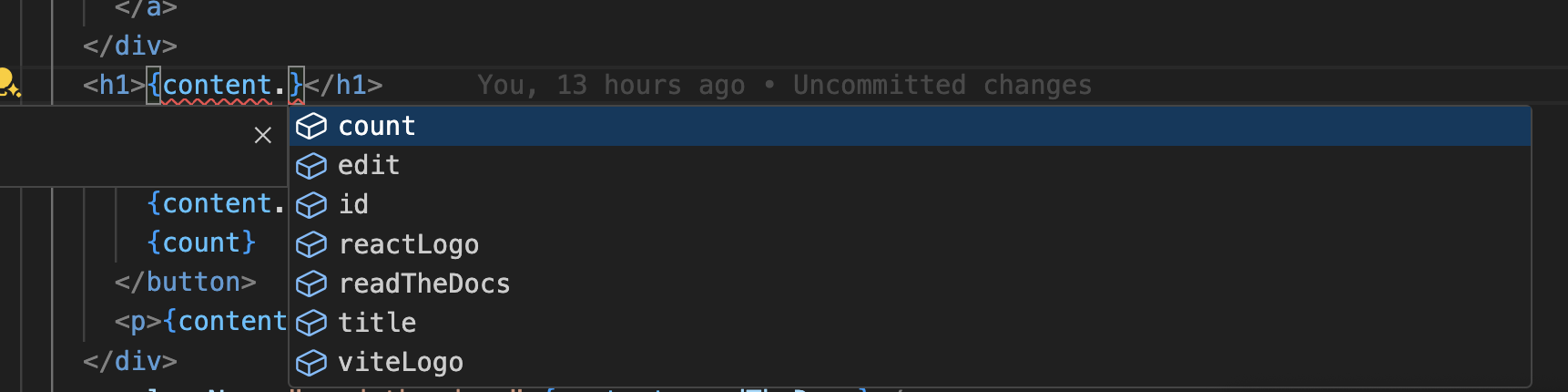
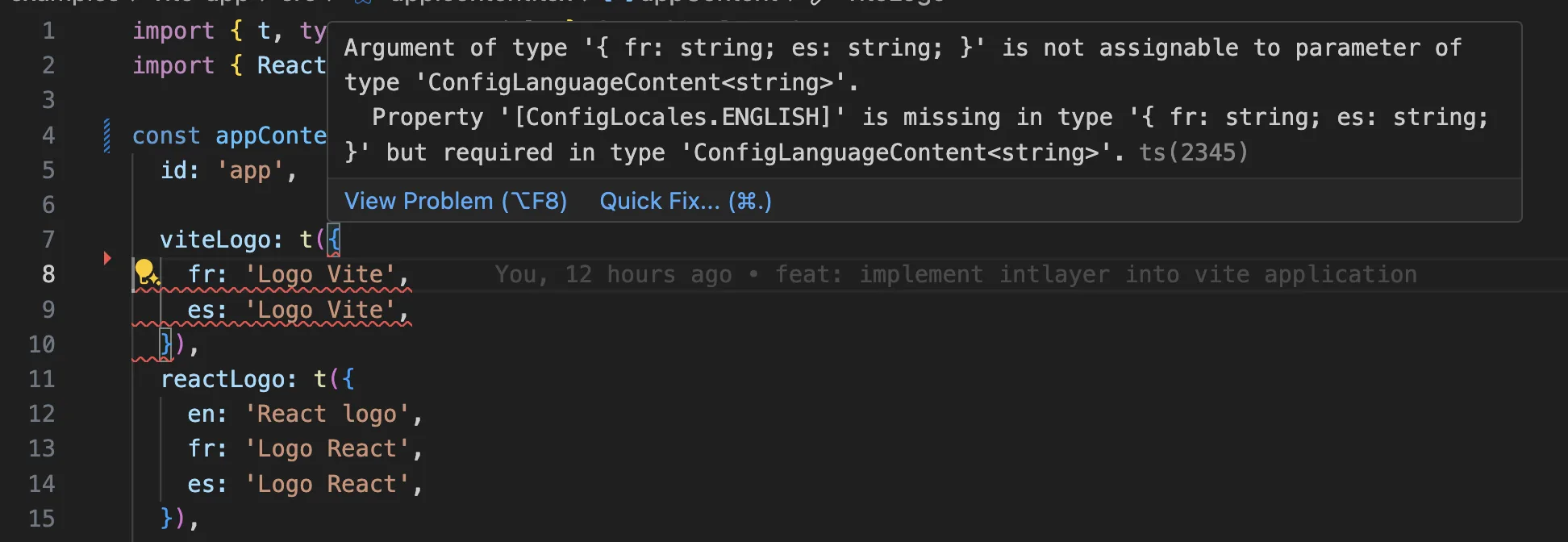
TypeScript 설정에 자동 생성된 타입이 포함되어 있는지 확인하세요.
코드를 클립보드에 복사
Git 설정
Intlayer가 생성한 파일은 무시하는 것이 좋습니다. 이를 통해 Git 리포지토리에 커밋되는 것을 방지할 수 있습니다.
무시하려면 .gitignore 파일에 다음 지침을 추가하세요:
코드를 클립보드에 복사
VS Code 확장 프로그램
Intlayer 개발 환경을 개선하기 위해 공식 Intlayer VS Code 확장 프로그램을 설치할 수 있습니다.
이 확장 프로그램은 다음 기능을 제공합니다:
- 번역 키 자동 완성.
- 누락된 번역에 대한 실시간 오류 감지.
- 번역된 콘텐츠의 인라인 미리보기.
- 번역을 쉽게 생성하고 업데이트할 수 있는 빠른 작업(Quick Actions).
확장 프로그램 사용에 대한 자세한 내용은 Intlayer VS Code 확장 프로그램 문서를 참조하세요.
더 알아보기
더 자세히 알고 싶다면 비주얼 에디터를 구현하거나 CMS를 사용하여 콘텐츠를 외부화할 수 있습니다.
자주 묻는 질문
Astro의 내장 i18n 옵션은 로케일 접두사와 리디렉션만 처리할 뿐 콘텐츠 자체는 관리하지 않으므로 메시지 레이어가 필요하며, 아일랜드 구조로 인해 두 번째 문제가 발생합니다: 아일랜드는 Astro가 아닌 Solid로 실행된다는 점입니다.
- Astro
i18n과 직접 작성한 사전, 그리고 아일랜드 내부의@solid-primitives/i18n: 동기화해야 할 두 개의 콘텐츠 소스가 생기고, 둘 사이에 공유된 타입 안전성이 없습니다. Intlayer: 둘 모두를 위한 단일 콘텐츠 레이어입니다.astro-intlayer는.astro페이지를 다루고solid-intlayer는 Solid 아일랜드를 다루며, 둘 다 동일한 선언을 읽습니다.
라벨을 한 번만 선언하고 정적 페이지와 인터랙티브 아일랜드 양쪽에서 모두 사용할 수 있다는 점이 여기서 단일 콘텐츠 레이어를 선택하는 핵심 이유입니다. 왜 Intlayer인가를 참조하세요.
대부분 가능합니다. 콘텐츠를 이전하려면 i18next 마이그레이션 가이드를 따르세요. 점진적으로 마이그레이션할 수도 있습니다: sync JSON 플러그인은 기존 JSON 카탈로그를 단일 진실 공급원(source of truth)으로 유지하면서 Intlayer 사전을 생성하므로 컴포넌트를 하나씩 이전하는 동안 두 계층의 동기화가 유지됩니다.
네. sync JSON 플러그인은 /messages/{locale}/{namespace}.json 파일을 단일 진실 공급원(source of truth)으로 유지하면서 양방향으로 Intlayer 사전을 생성합니다. sync PO 플러그인은 gettext 카탈로그에 대해 동일한 작업을 수행하며, 로케일별 파일을 통해 로케일을 한 파일에 모으는 대신 언어별로 콘텐츠를 분할할 수도 있습니다.
아닙니다. npx intlayer extract를 실행하면 Intlayer가 컴포넌트를 읽고 사용자 대면 문자열을 추출하여 각 컴포넌트 옆에 .content 파일을 생성하므로 카탈로그에 일일이 복사할 필요 없이 diff만 검토하면 됩니다. 이 가이드의 15단계를 확인하세요.
완전 자동화된 파이프라인을 위해 Intlayer 컴파일러는 빌드 타임에 JSX, TSX, Vue 및 Svelte 소스에서 동일한 작업을 수행하여 변경될 때마다 사전을 생성하고 HMR을 통해 동기화하므로 수동으로 키를 관리할 필요가 없습니다.
컴파일러를 켜기 전에 알아두어야 할 두 가지 제한 사항이 있습니다. 정적 분석으로 작동하므로 API 오류 코드나 CMS 필드와 같이 런타임에만 존재하는 문자열은 처리할 수 없습니다. 또한 큰 코드베이스에서 몇 가지 어노테이션이 필요한 className="active" 또는 상태 코드와 같은 애플리케이션 로직과 사용자 대면 텍스트를 구분해야 합니다. extract 명령은 사용자가 직접 제어할 수 있도록 하여 두 가지 문제를 모두 방지합니다.
5가지 도구가 모두 선택 사항으로 제공됩니다:
- VS Code 확장 프로그램:
useIntlayer키에서 이를 선언한 콘텐츠 파일로 바로 이동하고, 컴포넌트에서 콘텐츠를 추출하며, 명령 팔레트나 전용 Intlayer 탭에서 build, fill, test, push, pull을 실행할 수 있습니다. - LSP 서버: LSP를 지원하는 모든 에디터에서 정의로 이동, 모든 참조 찾기, 번역 값 마우스 오버 미리보기, 키 및 필드 자동 완성, 선언되지 않은 키에 대한 경고 등 동일한 기능을 제공합니다. 또한
i18next,react-i18next,next-intl,use-intl호출도 해석하므로 마이그레이션 시 유용합니다. - MCP 서버: Cursor, VS Code, Claude Desktop, Claude Code, ChatGPT에 Intlayer 문서와 CLI를 노출하여 AI 어시스턴트가 최신 문서를 기반으로 정확히 답변하고
intlayer fill등의 명령을 직접 실행할 수 있게 합니다. - Agent Skills:
intlayer-config,intlayer-cli,intlayer-content및 각 프레임워크 전용 스킬을 통해 AI 에이전트에게 라우팅 설정과 콘텐츠 노드 타입을 학습시킵니다. - ESLint 플러그인:
no-raw-text규칙으로 하드코딩된 문자열을 표시하고, 정적 사전 키 및 사용되지 않는 콘텐츠에 대한 추가 규칙을 제공합니다.